How to Set Up the Service on IBO Player Pro for Android
1. Open the Google Play Store and search for ibo Player Pro then click “Install”.
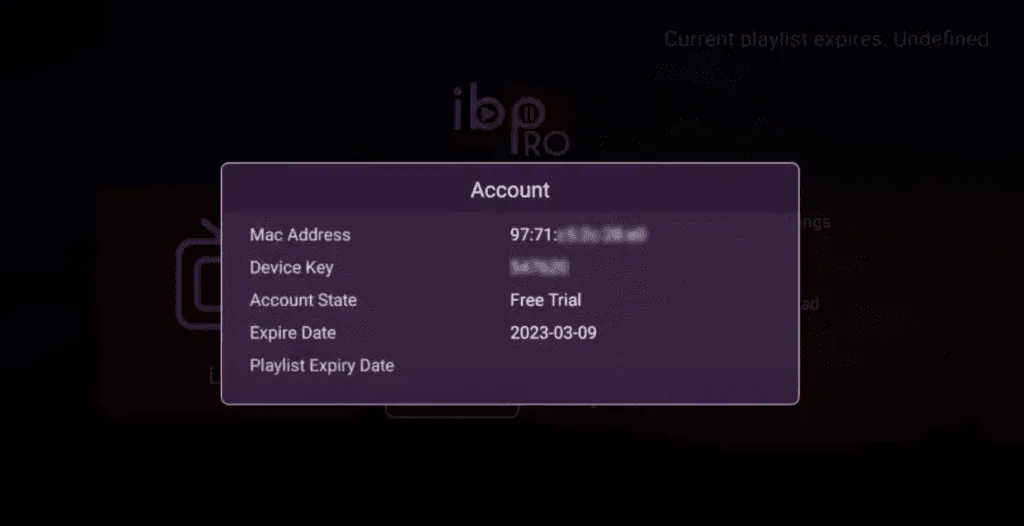
1. Open the App and Click on “Account” to see an activation screen displaying a unique activation code (MAC Address and Device Key).
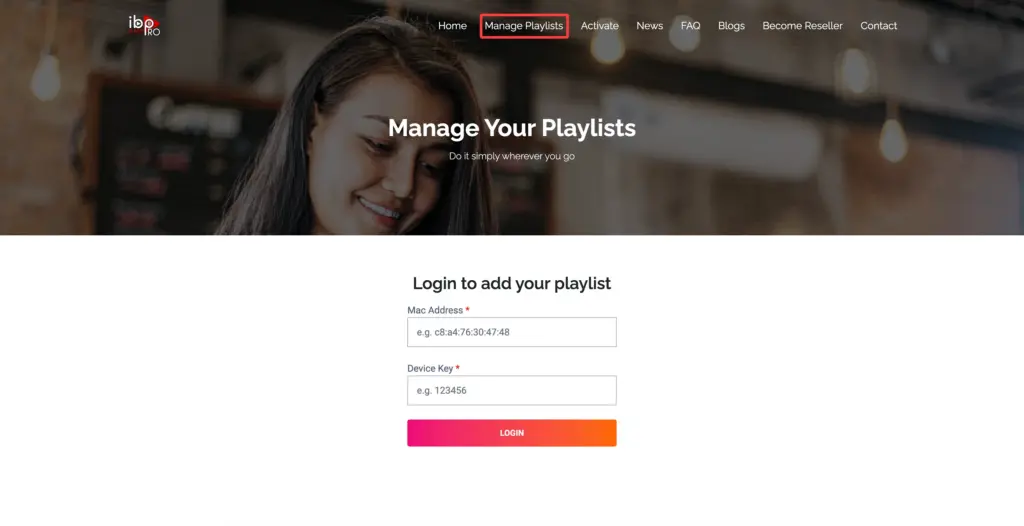
2. Visit ibo Player Pro website https://iboproapp.com and Click “Manage Playlists” in Menu section. Then Enter the MAC Address and Device Key displayed on your device screen and Click “Login”.
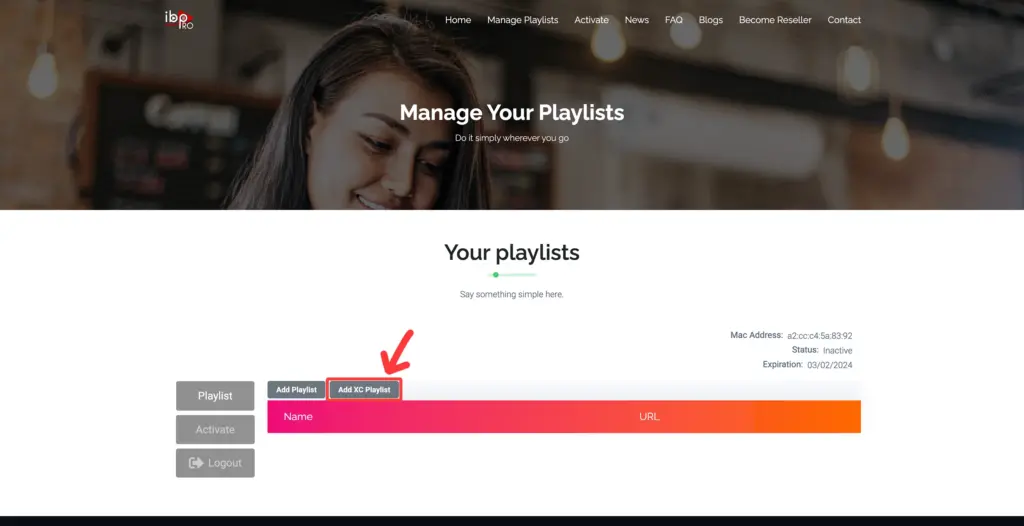
3. Click “Add XC Playlist” (recommended way).
4. Enter “Kemo IPTV” as the Playlist Name in the first box. Then in the second, third, and fourth boxes, input the Xtream Codes login credentials (Server address (Playlist Host), Username and Password) provided by us after subscribing. Finally, click “Submit” to proceed. Get Your Kemo IPTV Subscription.
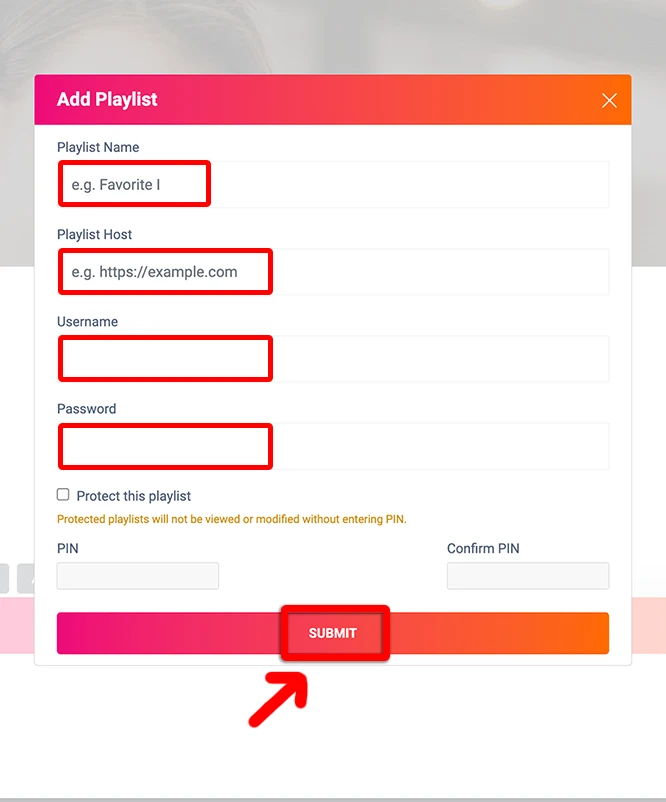
5. After activation, return to your device and restart the ibo Pro Player app for the changes to take effect. Then, select “Continue”, followed by “Change Playlists”, and connect to your The service playlist. Have a great time!
NOTE: The app has a 7-day trial period; when it expires, go to https://iboproapp.com/manage-playlists, Log in with the MAC Address and Device Key from your app, then pay the one-time fee.
Congratulations! You’ve now completed the setup of the ibo Player Pro app for seamless streaming.
IBO Player Pro: Android Tips & Troubleshooting
Where can I find my MAC Address and Device Key?
Launch ibo Player Pro on your device, navigate to the Account menu on the home screen. Both your unique MAC Address and Device Key will be clearly shown.
How do I refresh channels if new ones are added?
On the ibo Player Pro home screen, select Reload or restart the app. The playlist will synchronize automatically with the service server.
Does ibo Player Pro support EPG and Catch-up?
Yes! The service's Xtream Codes integration automatically populates full electronic program guide (EPG) data and 7-day catchup across all supported channels.
IBO Player Pro: Frequently Asked Questions
How long does IBO Player Pro setup take on Android?
Most Android and ChromeOS installs finish in about five minutes. Install IBO Player Pro from the Play Store, note the MAC address and device key it shows on first launch, upload your playlist against those details, then reopen the app.
Does IBO Player Pro work on a Chromebook?
Yes. ChromeOS runs the same Android build, so any Chromebook with Play Store support installs IBO Player Pro and loads a service playlist exactly as an Android TV box does.
Why is my channel list empty after adding the playlist?
The playlist is registered against the device key rather than pushed from inside the app, so it only appears on a fresh start. Force-close IBO Player Pro, reopen it, and the service channel list loads.
Can I use one subscription on my phone and TV box at once?
A single connection streams one screen at a time. If you want IBO Player Pro running on a TV box while someone else watches on a phone, add a second connection to your plan.